Move: arrow keys or A/D · Jump: Up/W ·
Block: Down/S · Attack: T · Kick: Y. On touch devices, tap
the game three times quickly to show or hide the on-screen controls. On
mobile, open the app and use your
browser's “Add to Home Screen” for true fullscreen.
Description
The 2008 Flash brawler Achilles, running in the browser through
Ruffle, an
open-source Flash emulator compiled to WebAssembly - no plugin, no
Adobe dependency. The original SWF runs unmodified except for one
patch: a dead analytics call to a shut-down ad-tracking service has
been stripped. On top of that, this page adds an on-screen touch
control layer and a PWA shell so it installs and plays offline on
phones and tablets, matching the rest of the site's web-app projects.
Background
The game was made with the assistance of Claude AI.
Simply put, I'm testing how far I can push porting old, native-feeling games into something that just runs in a browser tab.
Achilles was one of the many Flash games I played as a kid - never finished it, but I still remember exactly how it felt to play.
After messing around with Flappy Bird clones, I got curious about where the actual ceiling is for a browser-based game webapp, so I
looked into it. Storage turned out to be a non-issue - a Flash-era SWF and the Ruffle runtime together are only a few megabytes, nothing
a browser cache or a service worker can't handle for offline play. The real roadblock is input and platform quirks: these games were
built assuming a keyboard and mouse, so every touch device needs a hand-built control layer translating taps into the key presses the
game expects, and mobile browsers add their own restrictions on top (autoplay-blocked audio, no real fullscreen outside a home-screen
install) that have nothing to do with the game itself.
Porting the game was relatively simple: the source SWF is easy to find online, and once I had it, all I needed was Ruffle - an open-source
Flash Player emulator, written in Rust and compiled to WebAssembly - to run it directly in the browser via canvas/WebGL, no plugin and
no Adobe runtime involved. Since Ruffle runs the same WASM build on desktop and mobile, the emulation itself is just as compatible on a
phone as on a laptop. What Ruffle does not give you for free is input: it only listens for the keyboard and mouse events the
original SWF expects, so on a touchscreen there's nothing to tap. That gap is exactly what the on-screen control overlay on this page
exists to fill.
My original goal was to make this fully playable on mobile via Safari's "Add to Home Screen," so I built the on-screen buttons to dispatch
the same key events the game listens for. What I underestimated at first was everything around that core problem: iOS Safari blocks
audio until a deliberate tap (hence the "Tap to Start" screen), and a page opened in a normal browser tab never gets a true fullscreen
on iOS - only a home-screen install does - which is why this page ended up needing both the on-screen controls and the separate
installable webapp version.
Last but not least, the author of this game is Ben Olding. By extracting the
SWF file, I was able to modify some of the game content, mostly texts and audio files. I have omitted some texts (Play more games,
version count, etc) and some audio sound effect which I found annoying.
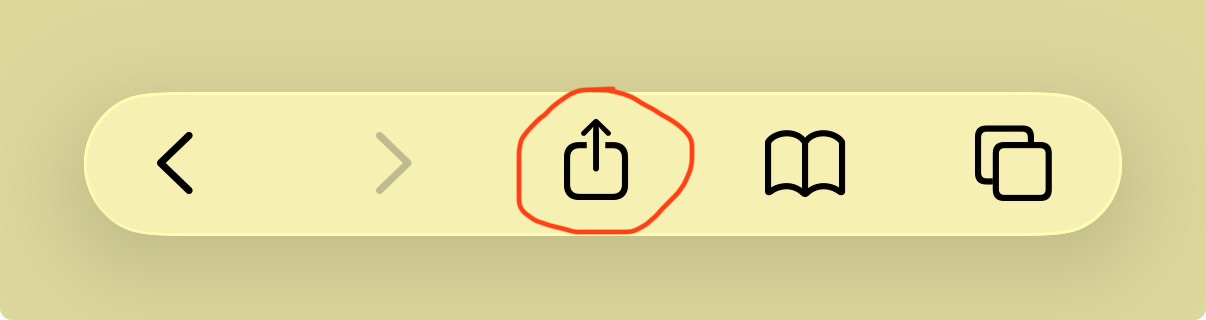
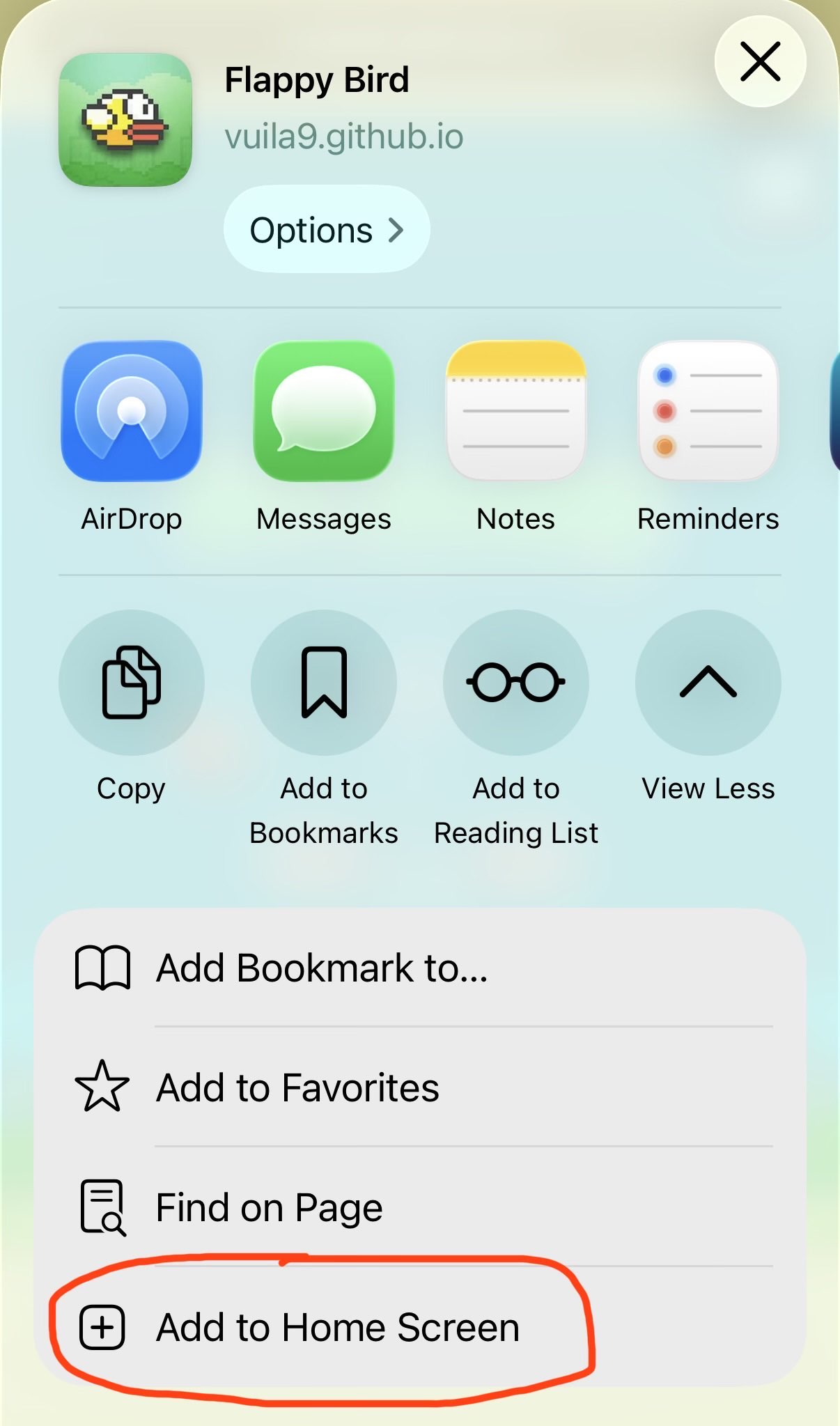
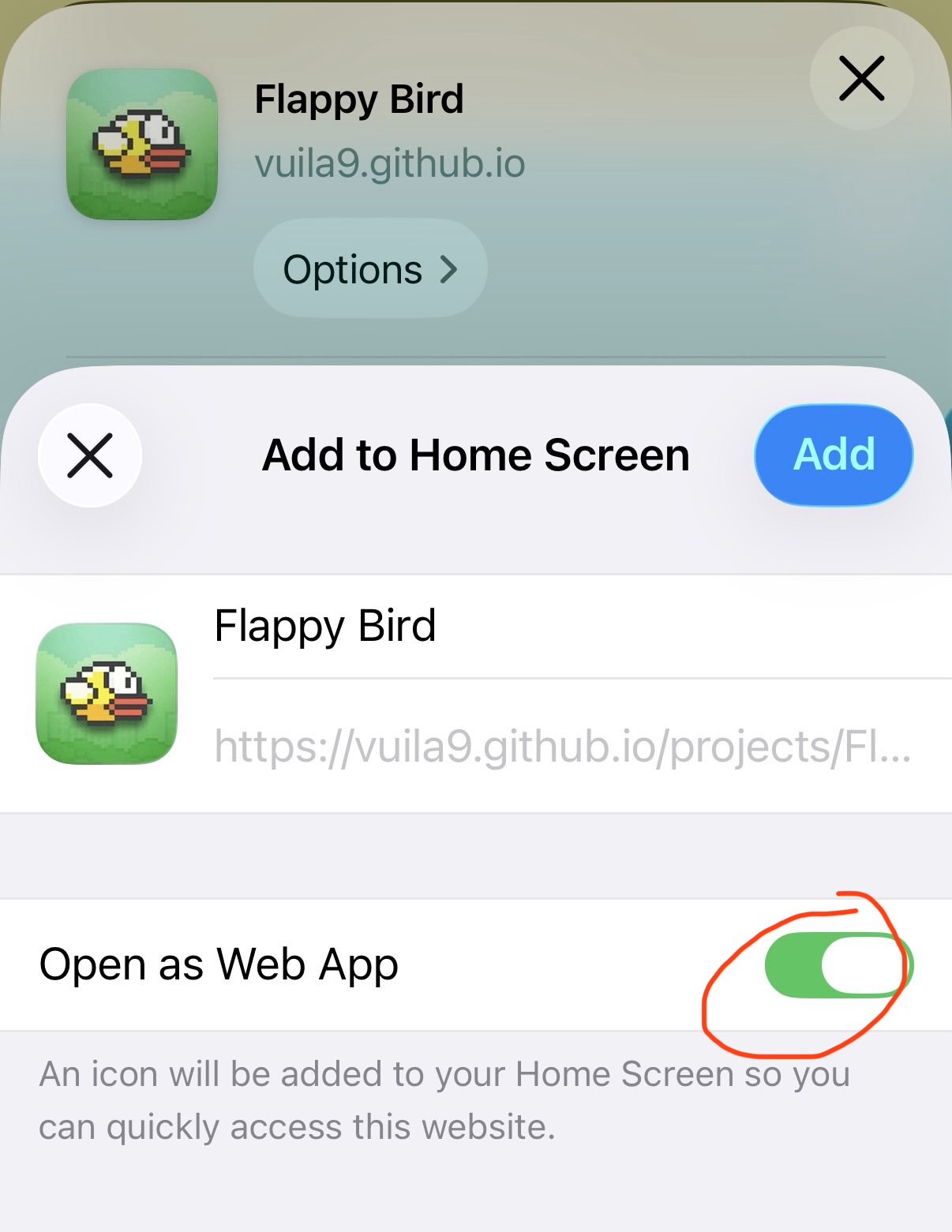
iOS App Setup Instruction
Quick disclaimer: I don't have an Android device so I do not know how to add a webapp as an app, so yes you are being left out on this one.
Before we get started, open the webapp version on Safari browser, because apparently only Safari can do this.
The version of the game on this current page is not a webapp version, make sure you only do the next step once you open the webapp version of the game on a new tab.
Step 1: Look anywhere on the interface for this buttonStep 2: Need to expand the option list to see this buttonStep 3: Make sure this option is checked, click Add and done
Features
Original game: the actual 2008 SWF, run through Ruffle rather than reimplemented.
Move (arrow keys / A,D): walk left or right.
Jump (Up / W) and Block (Down / S).
Attack (T) and Kick (Y).
Touch controls: on phones and tablets, tap the game three times quickly to show or hide the on-screen controls — left/right on the left, and Jump, Attack, Kick and Block in a diamond on the right. They start hidden so they don't cover the title menu.
Fullscreen (button): expand the game to fill the screen.
Esc (keyboard): exit fullscreen.
Offline playable: once loaded up the first time, the game can be fully played without internet (only applies after adding the game as a native app).
FAQ
Why does the game ask me to tap before it starts?
iOS Safari blocks a page from playing any audio until you make a
deliberate tap. The "Tap to Start" screen is that tap - it also
doubles as the moment the game actually loads, so nothing plays or
makes sound before you've interacted with the page.
Is this the real game, or a remake?
It's the real game. The original SWF file runs inside Ruffle, an
open-source Flash emulator, with one dead analytics call removed.
Nothing about the game itself - its art, animation, or logic - has
been changed.
Future Improvements
On-device testing pass across a range of real iPhones/iPads for touch and audio-unlock edge cases.