OPTIONS
Sound
DEBUG
GAME MODE
TIME'S UP!
Level reached 1
Score 0
WELCOME BACK
Level 1
Score 0

Click or tap a gem, then an adjacent gem, to swap them. Match 3 or more in a row or column to clear them. On mobile, open the app and use your browser's “Add to Home Screen” for true fullscreen.

Description

A faithful web revival of the classic Bejeweled 2. The artwork and sound effects are the originals, extracted from the Android release; the game itself is re-implemented from scratch in vanilla JavaScript on an HTML5 canvas so it runs in any modern browser - including on a phone, a tablet, where it can be added to the home screen and played fullscreen.

The game was made with the assisted of Claude AI.

Quick disclaimer: Android users can always get the vanilla game by installing the APK file, so yes you are being left out on this one.

Before we get started, open the webapp version on Safari browser, because apparently only Safari can do this.

The version of the game on this current page is not a webapp version, make sure you only do the next step once you open the webapp version of the game on a new tab.
step1
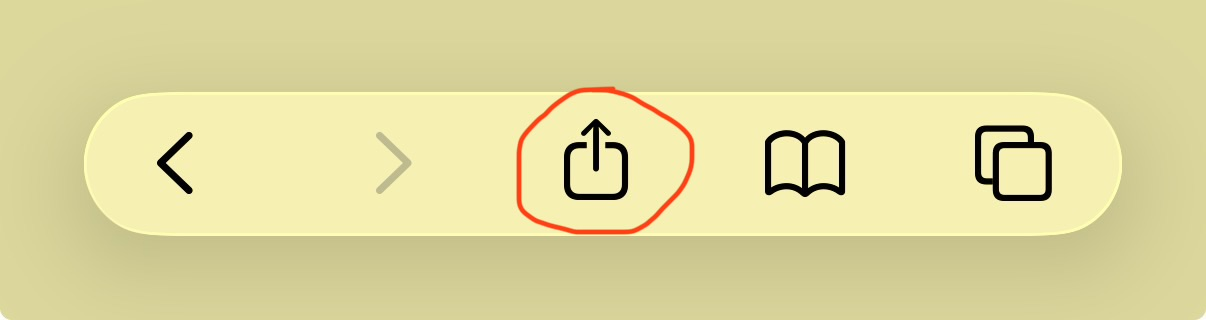
Step 1: Look anywhere on the interface for this button
step2
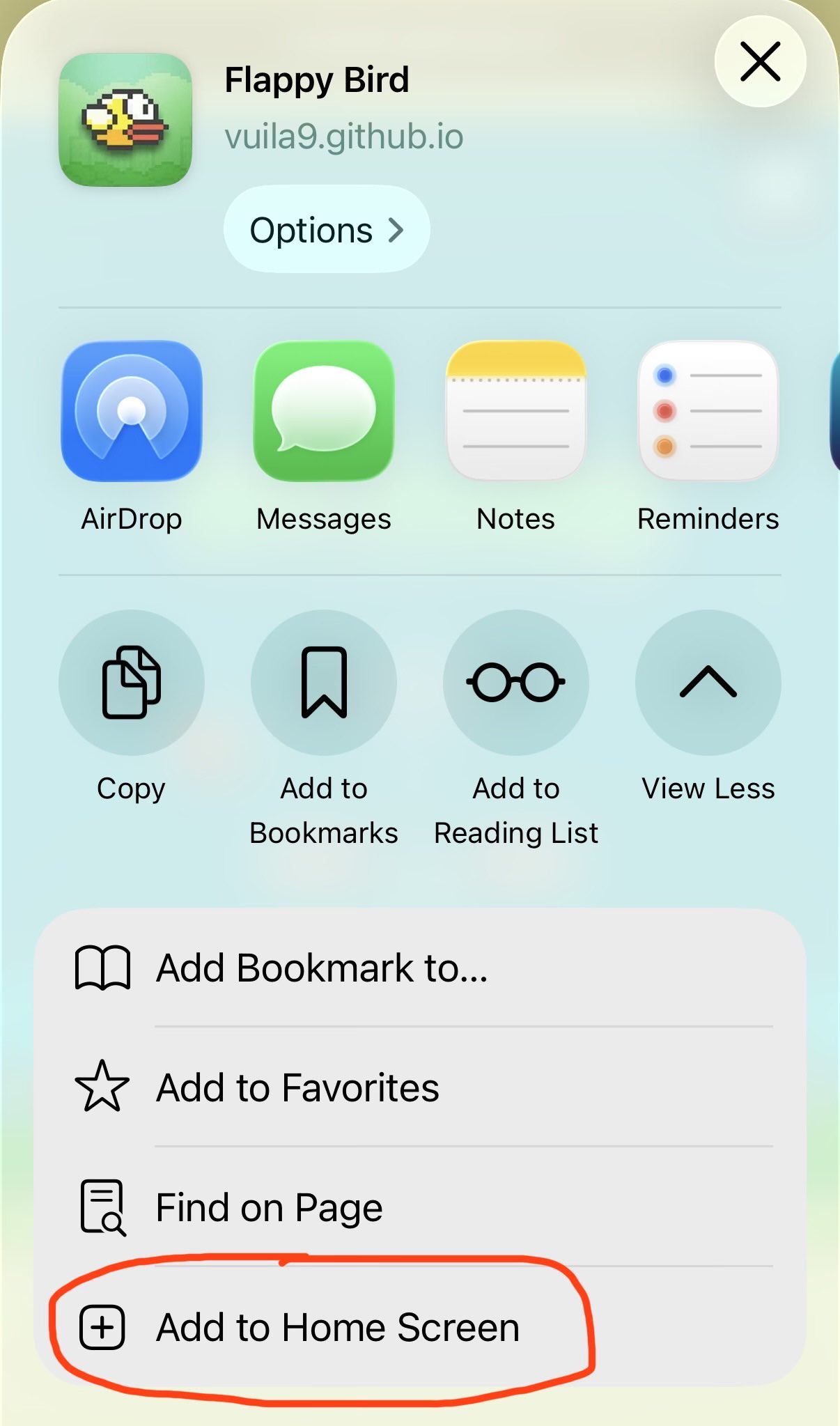
Step 2: Need to expand the option list to see this button
step3
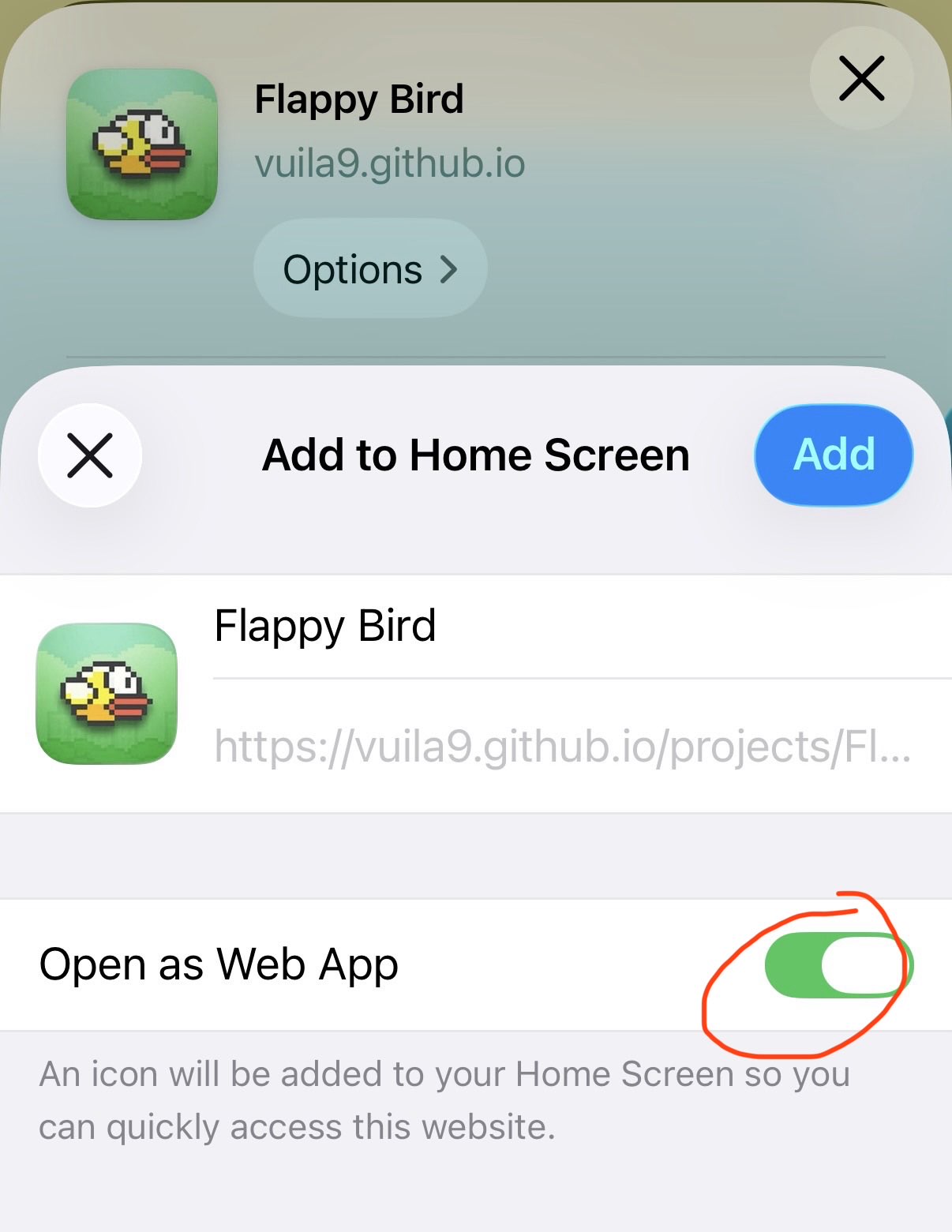
Step 3: Make sure this option is checked, click Add and done
  • Original assets: gem sprites and sound effects pulled straight from the Android APK.
  • Swap (click / tap): select a gem and an adjacent gem to swap them and make a match.
  • Cascades: chained matches from falling gems award bonus points.
  • Levels: a progress meter fills as you clear gems; filling it advances the level, awards a bonus, and raises the next target.
  • Score & best: local best score persists between sessions.
  • Fullscreen (button): expand the game to fill the screen.
  • Esc (keyboard): exit fullscreen.
  • Offline playable: Once loaded up the first time, the game can be fully played without internet. (only applied after adding the game as a native app)