Click, tap, or press Space to flap.
On mobile, open the app and use your browser's
“Add to Home Screen” for true fullscreen.
Description
A faithful web revival of the classic Flappy Bird. The artwork and
sound effects are the originals, extracted from the 2014 Android
release; the game itself is re-implemented from scratch in vanilla
JavaScript on an HTML5 canvas so it runs in any modern browser
- including on a phone, a tablet, where it can be added to the home
screen and played fullscreen.
Background
The game was made with the assisted of Claude AI.
Where do I begin? Originally, my goal was to revive the game as a native iOS app so I could play it on my phone. However, I don't own a Mac, and developing an iOS application requires building it on macOS. After discussing it with Claude, it suggested turning the game into a web app instead. Since web apps need to be hosted online, I realized I already had the perfect place for it: my GitHub Pages portfolio. Because the game isn't a live service title, a static website was all it needed.
At first, the process was fairly straightforward. I had already downloaded the game's APK (version 1.3) from an online archive. Once I got the vanilla version running, I immediately noticed something was off: the score digits weren't centered. I asked Claude to help fix it, and to my surprise, it did. The next issue was much more noticeable. The game's animations were running way too fast. As a gamer, I recognized the problem instantly. I was developing on a machine with a 144 Hz monitor, while the original game had been designed around a fixed 60 Hz refresh rate. As a result, the animation speed was scaling with the display's refresh rate. Claude helped me fix that as well with a relatively simple adjustment. That's when it hit me: I had full control over the game. Since I had access to all of its assets, I could modify virtually anything.
I started by adding several quality-of-life features, including a pause menu, sound toggle, FPS counter toggle, and, most importantly, full landscape mode support. But I didn't stop there. My original goal had always been to make it feel like a native iOS app. Fortunately, Safari allows users to add a web app to their Home Screen, launching it as a standalone application. After a lot of experimentation to make it behave like a true full-screen app, I finally got everything working the way I wanted. The end result is a web app that runs smoothly and feels remarkably close to a native application, making the game fully playable on most modern Apple devices.
Another great feature is that once you've launched the game for the first time and added it as a native app, you can play it entirely offline without an internet connection. See the setup instructions below to achieve this.
iOS App Setup Instruction
Quick disclaimer: Android users can always get the vanilla game by installing the APK file, so yes you are being left out on this one.
Before we get started, open the webapp version on Safari browser, because apparently only Safari can do this.
The version of the game on this current page is not a webapp version, make sure you only do the next step once you open the webpapp version of the game on a new tab.
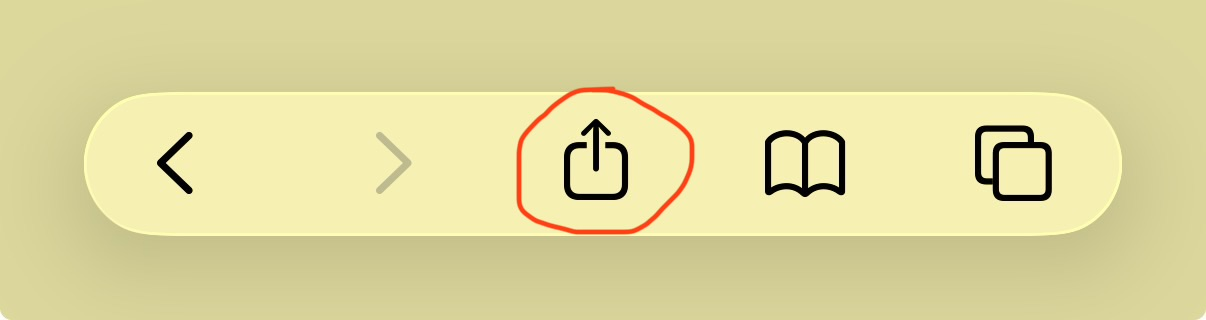
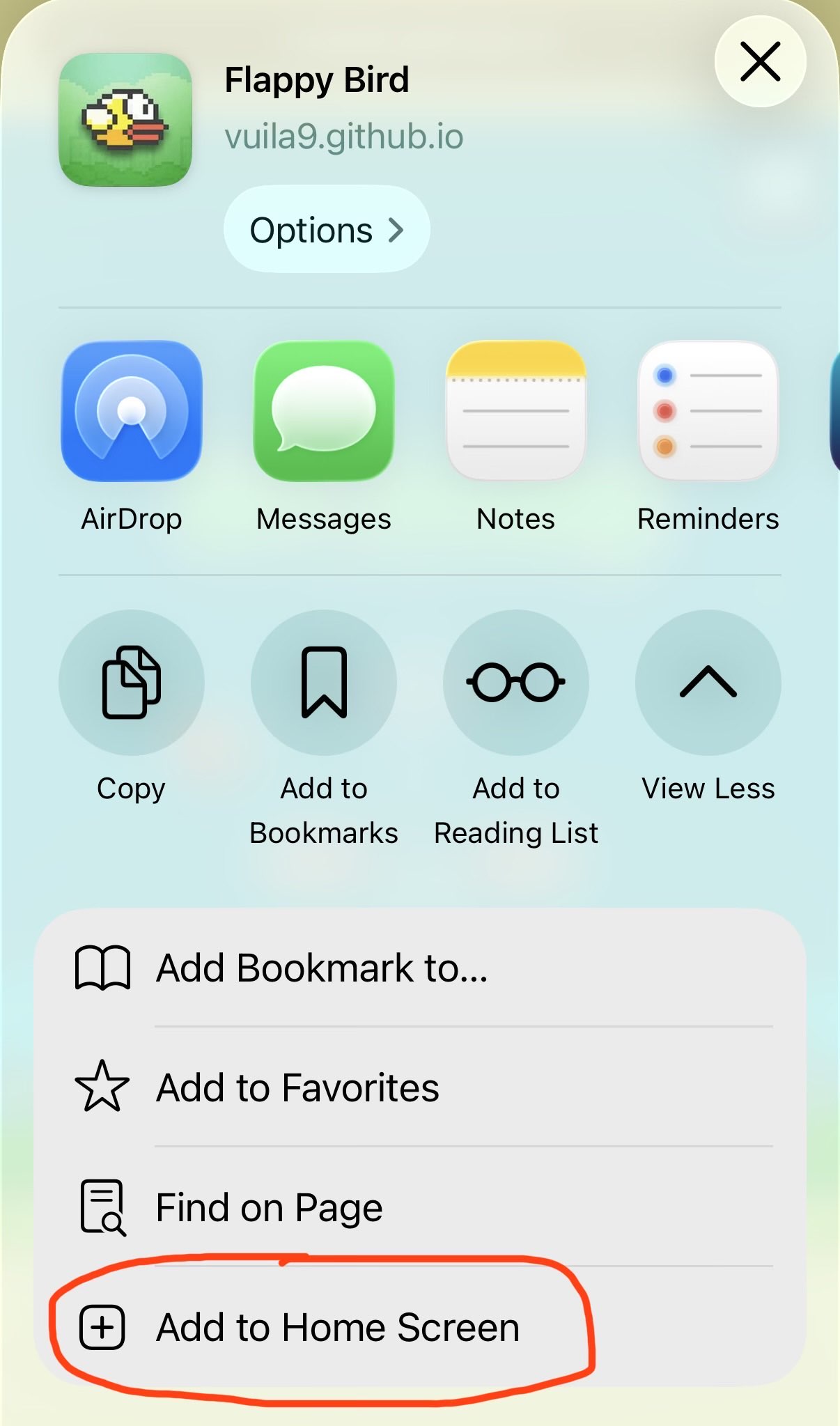
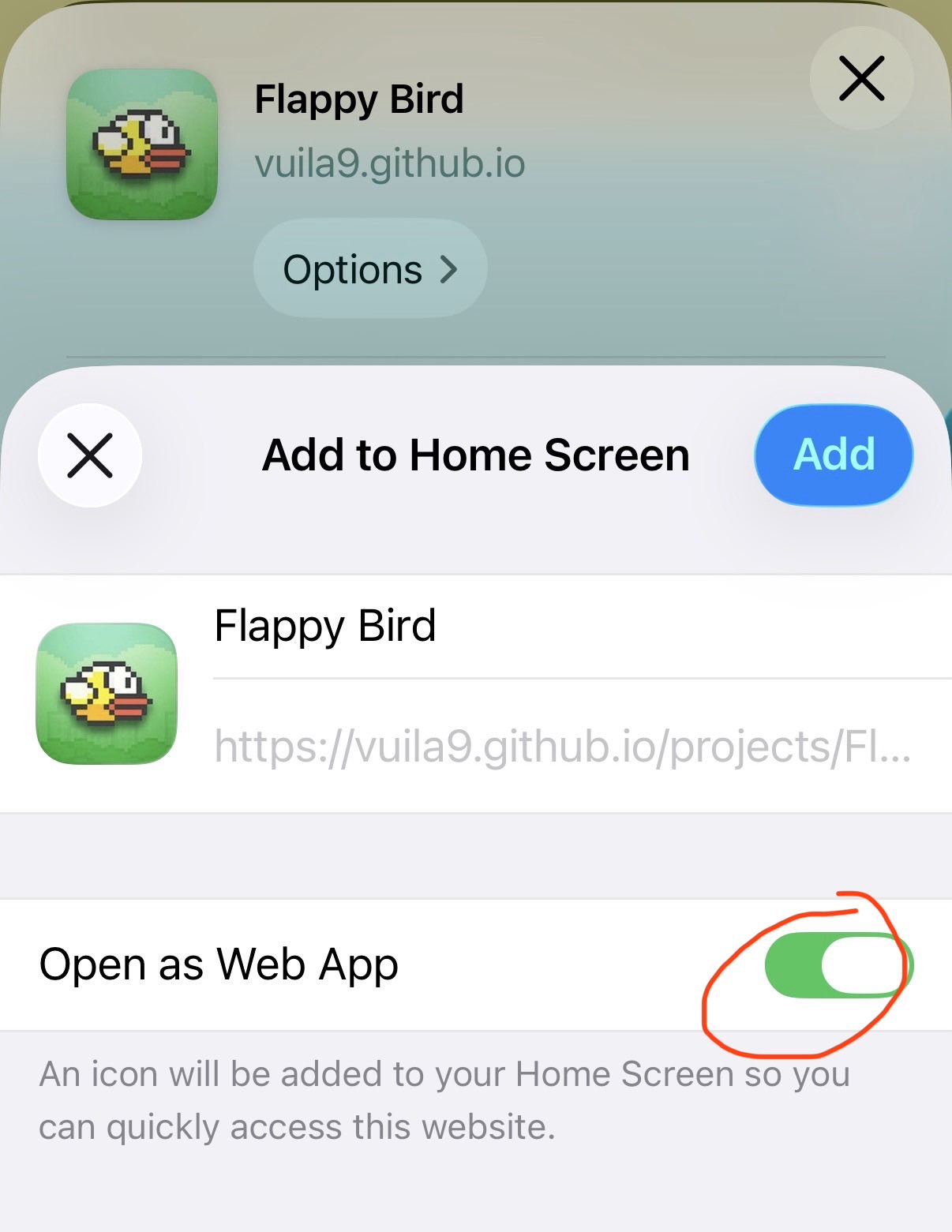
Step 1: Look anywhere on the interface for this buttonStep 2: Need to expand the option list to see this buttonStep 3: Make sure this option is checked, click Add and done
Features
Original assets: sprites and sound effects pulled straight from the 2014 APK texture atlas.
Flap (click / tap / Spacebar): keep the bird airborne through the pipes.
Score & best: local best score persists between sessions.
Medals: bronze, silver, gold, platinum, and more awarded at score thresholds.
Fullscreen (button): expand the game to fill the screen.
Esc (keyboard): exit fullscreen.
Frame-rate independent: fixed 60Hz physics, so it plays the same on 60/120/144/280Hz displays.
Offline playable: Once loaded up the first time, the game can be fully played without internet. (only applied after adding the game as as a native app)
FAQ
How is it possible to play the game offline after launching it once?
The first time you open the game with internet, your mobile device quietly saves a complete copy of the game onto the device - all the pictures, sounds, and the game itself. Adding it to your Home Screen turns that saved copy into an app icon, just like a real app.
After that, whenever you tap the icon, the game runs from the copy already on your device instead of downloading anything. That's why it opens instantly and works perfectly even in airplane mode or with no signal.
Occasionally, I will come back and update the game, if connected to internet, the game will be automatically update to a newer version seamlessly without needing to redo the setup steps.
How does the game record your highest score or setting preference?
Your high score is saved right on your device, like a note your phone keeps for the game.
When you beat your best, the game writes the new number down in its own little memory spot. That note stays there even after you close the game or restart your phone. So next time you play, it remembers and shows your highest score.
Because it's saved on your device (not online), it works without internet, and each device keeps its own record. The only way it gets forgotten is if you clear the browser's data for the site.